Beats · Chops · Sequences

Sample anything. Chop it. Make it a beat.

A sampler and beat machine for iPhone and iPad. Split any song into stems right on your device, chop the parts onto pads, and build the whole track. It runs as a plugin inside your host app, too.

$4.99 USD once · iPhone & iPad · no subscription, ever

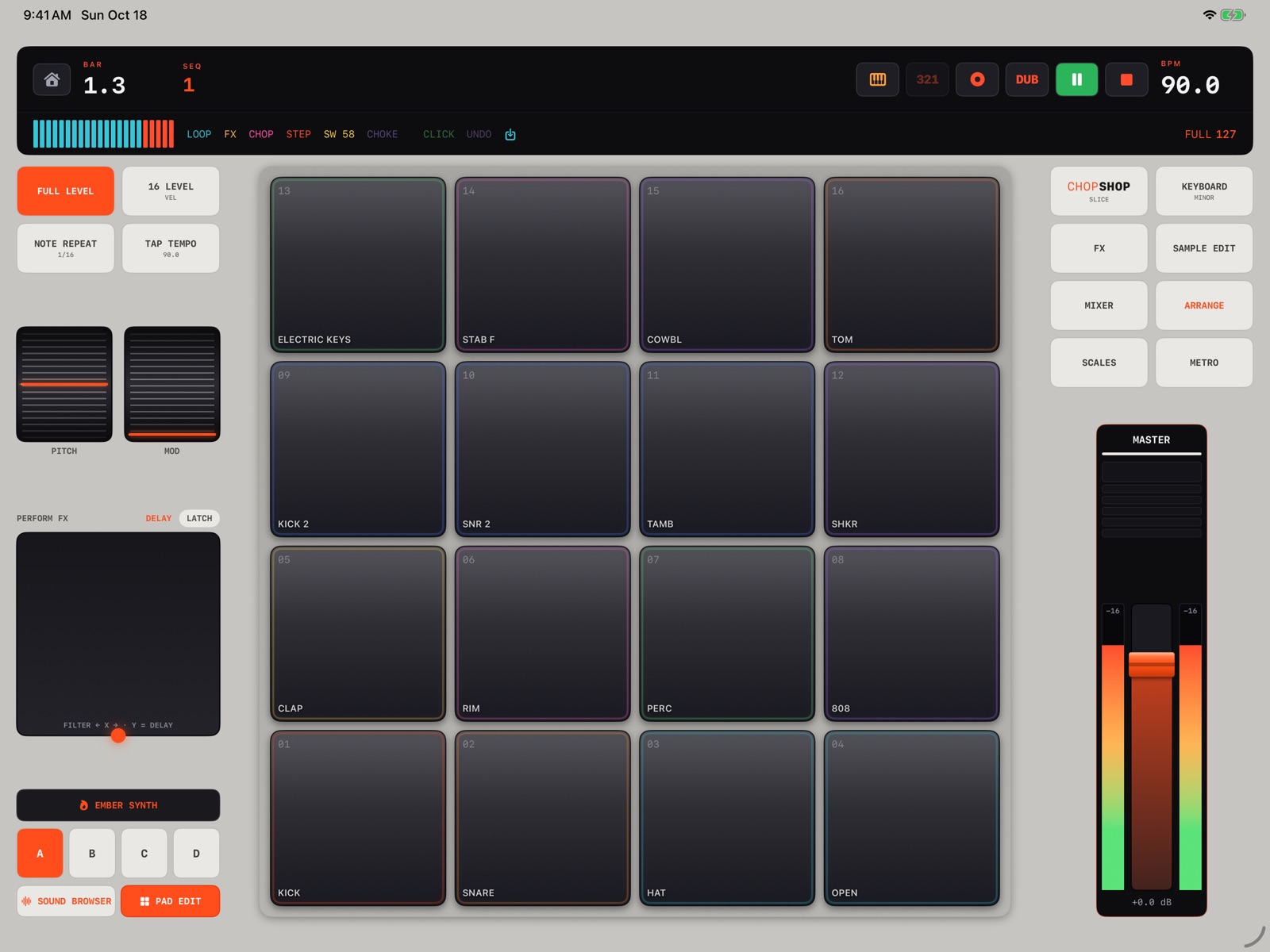
CHOPSHOP on iPad in landscape: sixteen pads, pitch and mod wheels on the left, the master strip on the right
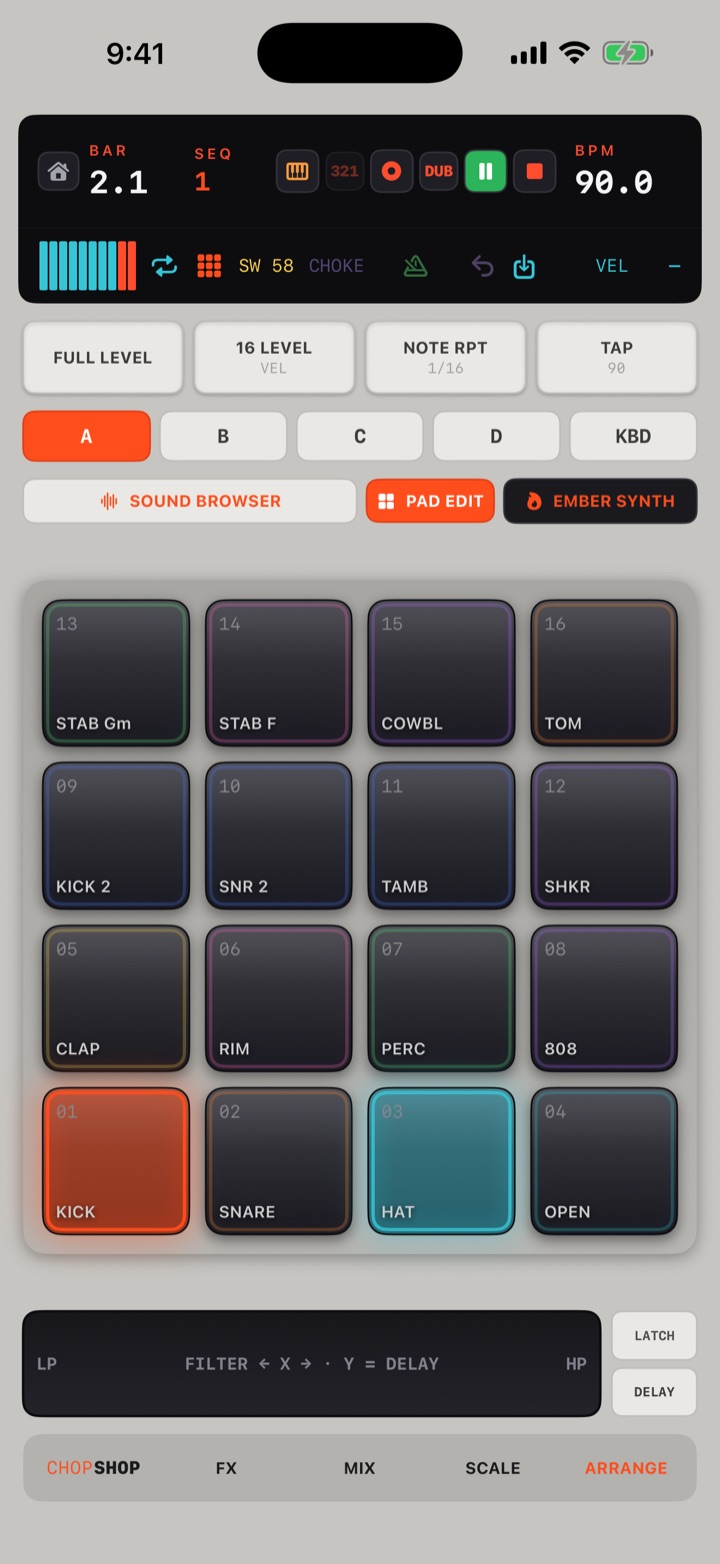
CHOPSHOP's pad screen on iPhone, with the demo beat loaded
Pads
64
4 banks of 16
Effects
27
on every pad and the mix
Stems
4
split on your device
Ember
23
synth presets
Plugins
3
for your host app
Subscriptions
0
now or ever

From a sound to a song

Five screens, start to finish. Everything on this page comes with the app.

CHOP

Split a song. Chop the parts.

STEM SPLIT pulls any song apart into drums, bass, vocals and melody, right on your device, with nothing uploaded. Slice a part by transient or by grid, or LAZY CHOP it: let it play and tap pads where each chop should start.

  • SAMPLEHold a pad to record the mic or CHOPSHOP’s own output, up to 30 seconds.
  • IMPORTWAV, AIFF, MP3, M4A, CAF and FLAC from Files, or a song from your music library.
  • BPM WARPStretch a loop to your tempo before you chop it.
  • REGIONSMark the best bars of a long take. Nothing gets cut.
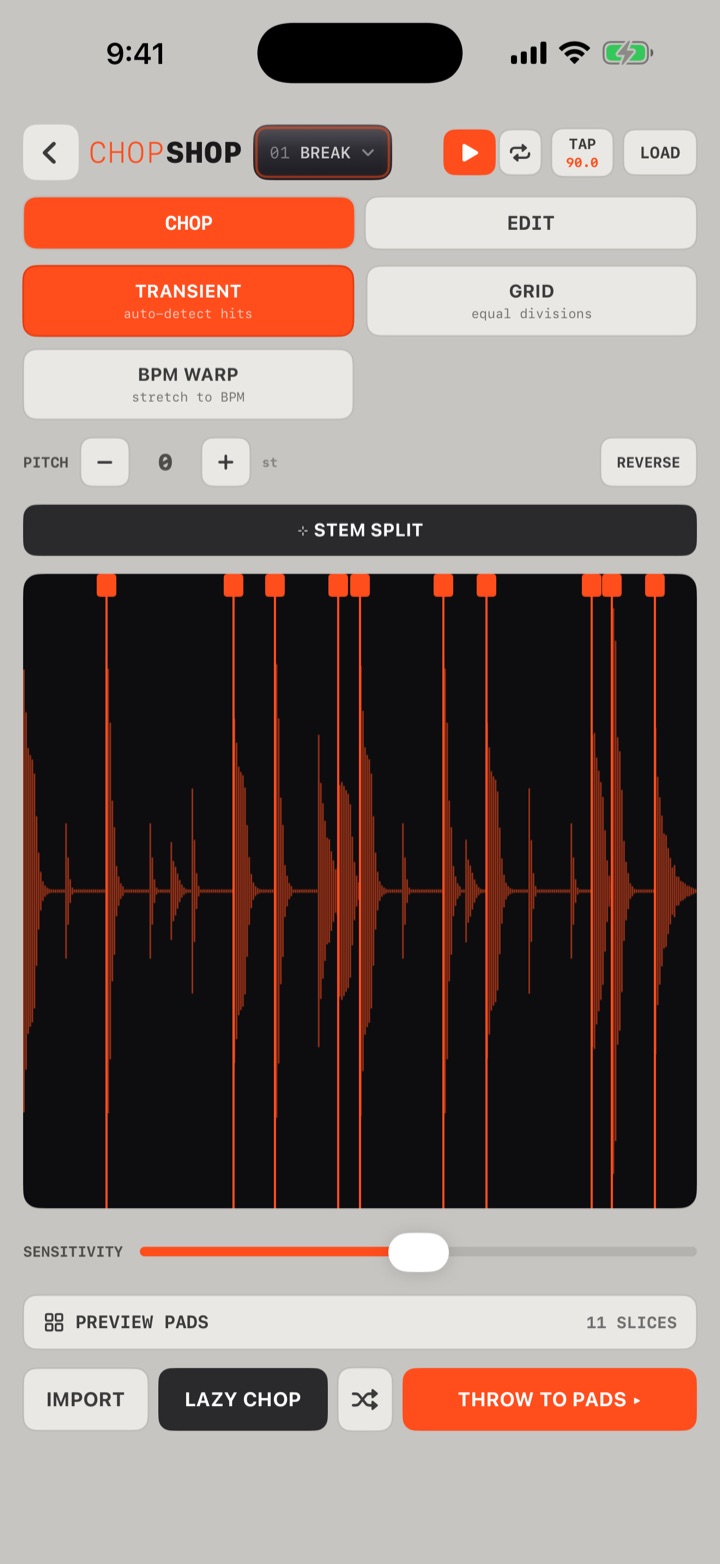
The chopper: a drum break sliced by transient, with STEM SPLIT, LAZY CHOP and THROW TO PADS
PLAY

Pads you can actually play.

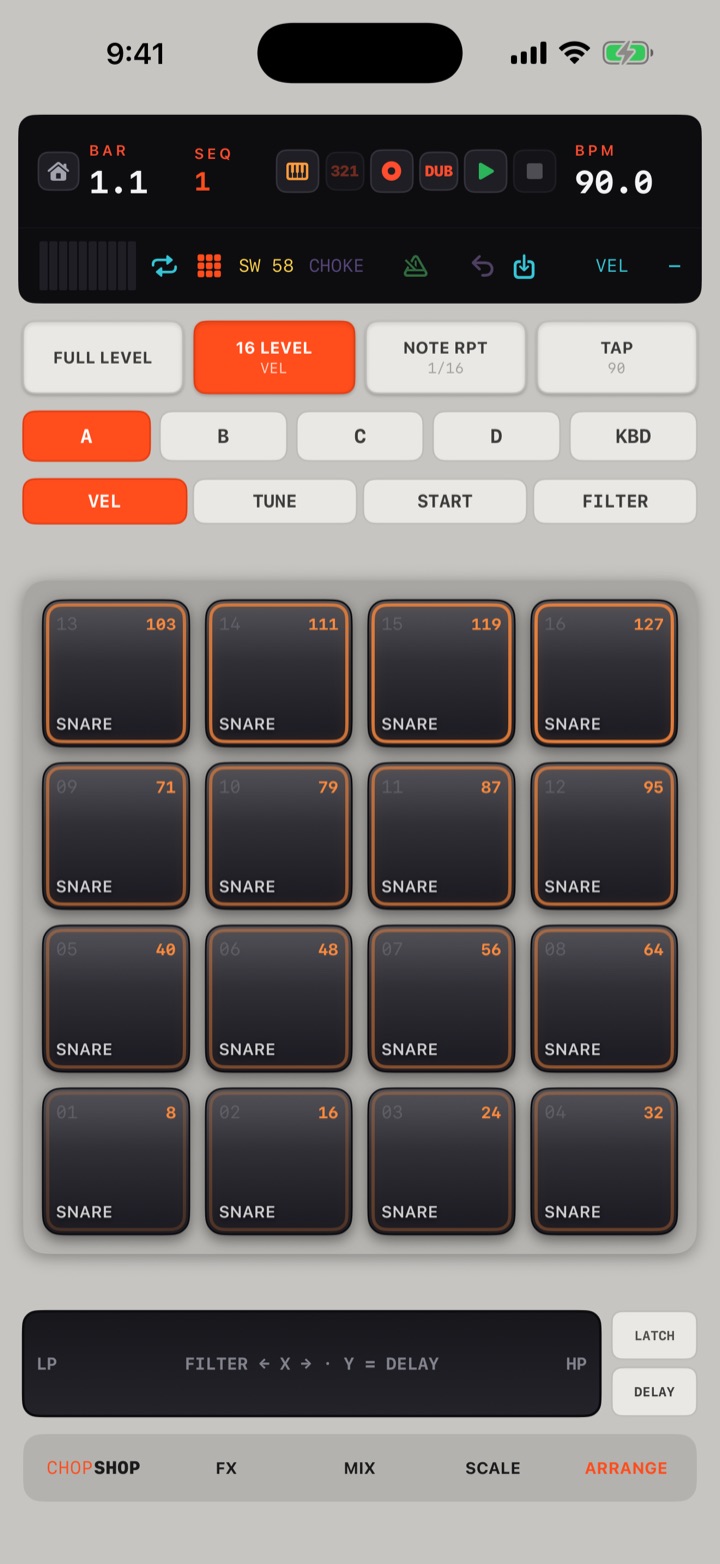
Velocity follows where your finger lands, from a ghost note at the bottom of a pad to full force at the top. 16 LEVEL spreads one sound across all sixteen pads by velocity, pitch, start point or filter.

  • NOTE REPEATRolls from 1/4 to 1/32, locked to the beat.
  • KEYBOARDAny sound across the pads in your key, with chords if you want them.
  • XY PADSixteen live effects under one finger, recorded into the pattern.
  • 64 PADSFour banks of sixteen, with choke groups for your hats.
16 LEVEL spreading one snare across all sixteen pads by velocity
EMBER

A synth on any pad.

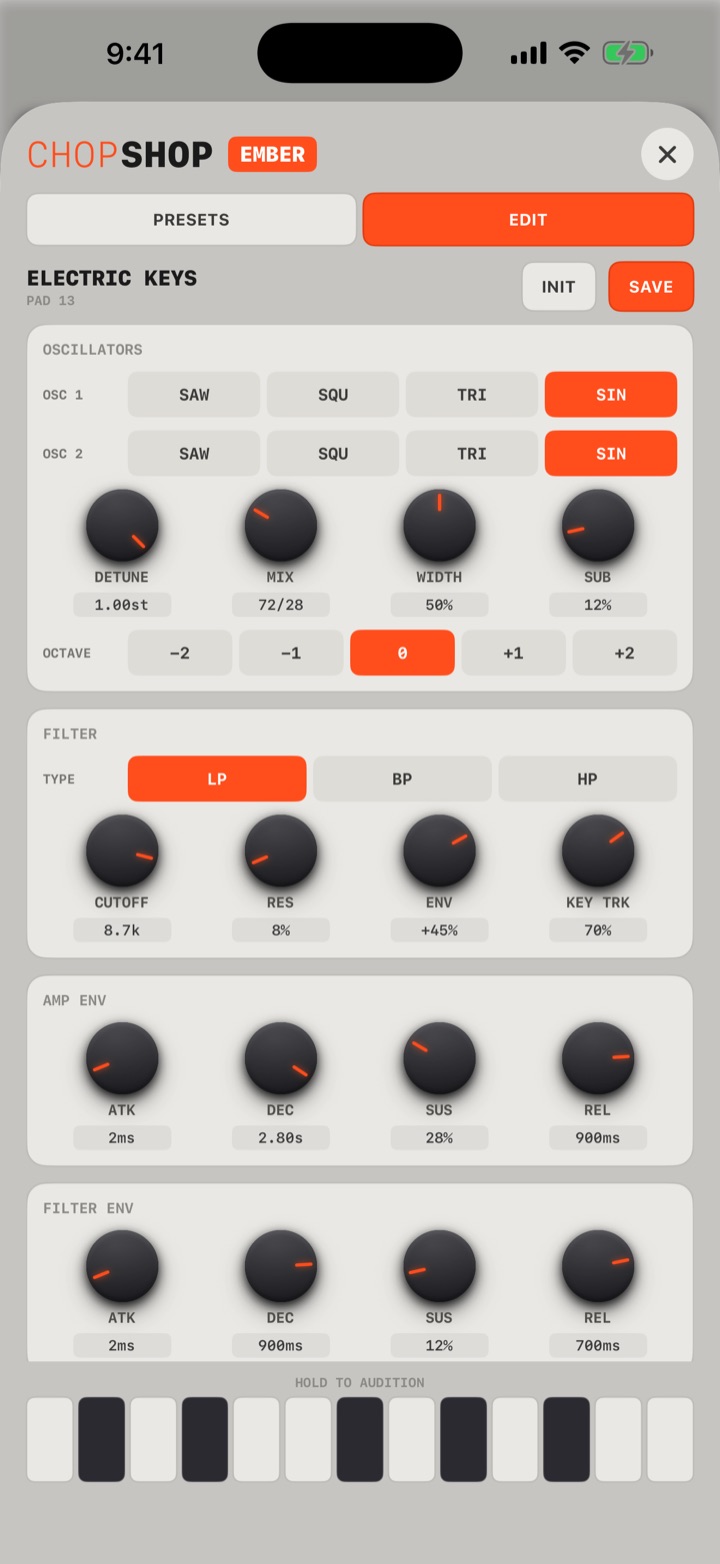
EMBER puts a synth on a pad: two oscillators and a sub, a filter with its own envelope, an LFO, unison and drive. Start from a preset of bass, brass, keys, leads, pads or plucks, and play it across the pads in your scale.

  • PRESETS23 in six groups, from Sub Bass to Kalimba.
  • MY PATCHESSave your own. They show up in the plugin too.
  • WHEELSPitch and mod on iPad in landscape, or from a controller.
EMBER's editor on Electric Keys, with the filter's CUTOFF turned up
FX

27 effects on every pad and the mix.

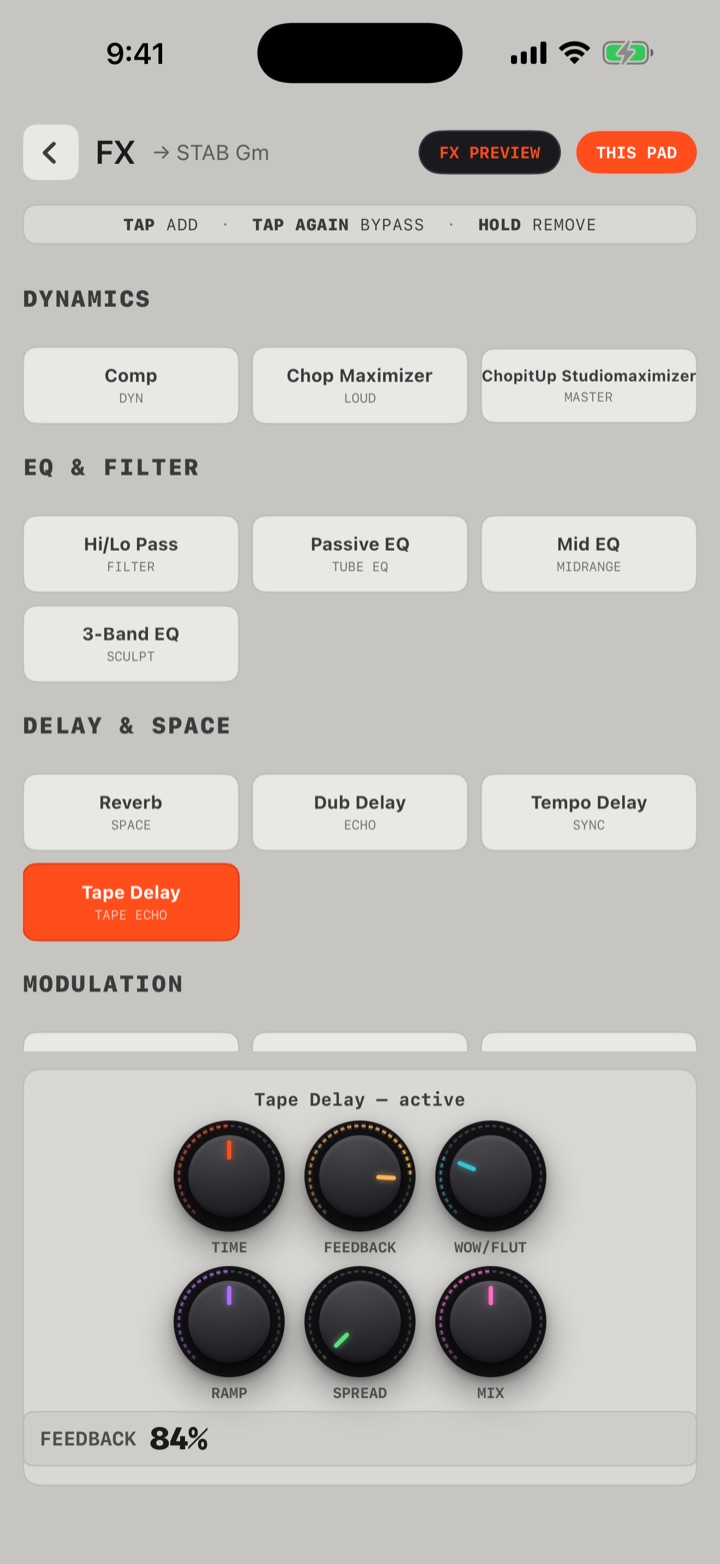
Every pad has its own chain of effects, and so does the master. Tape Delay with wow and flutter, Dub Delay, reverb, compression and two maximizers, bit-crush, vinyl, tape stop, scratch, a 3-band EQ you drag by its curve, and more, in seven groups.

  • FX PREVIEWHear the pad through its chain without leaving the page.
  • MIXERFaders, pan, mute, solo and meters for every pad.
  • KNOBSDrag to turn, double-tap to reset, or tap the readout to type a value.
The FX page: Tape Delay on a chord stab, with FEEDBACK turned up to 84%
ARRANGE

Record it, fix it, make it a song.

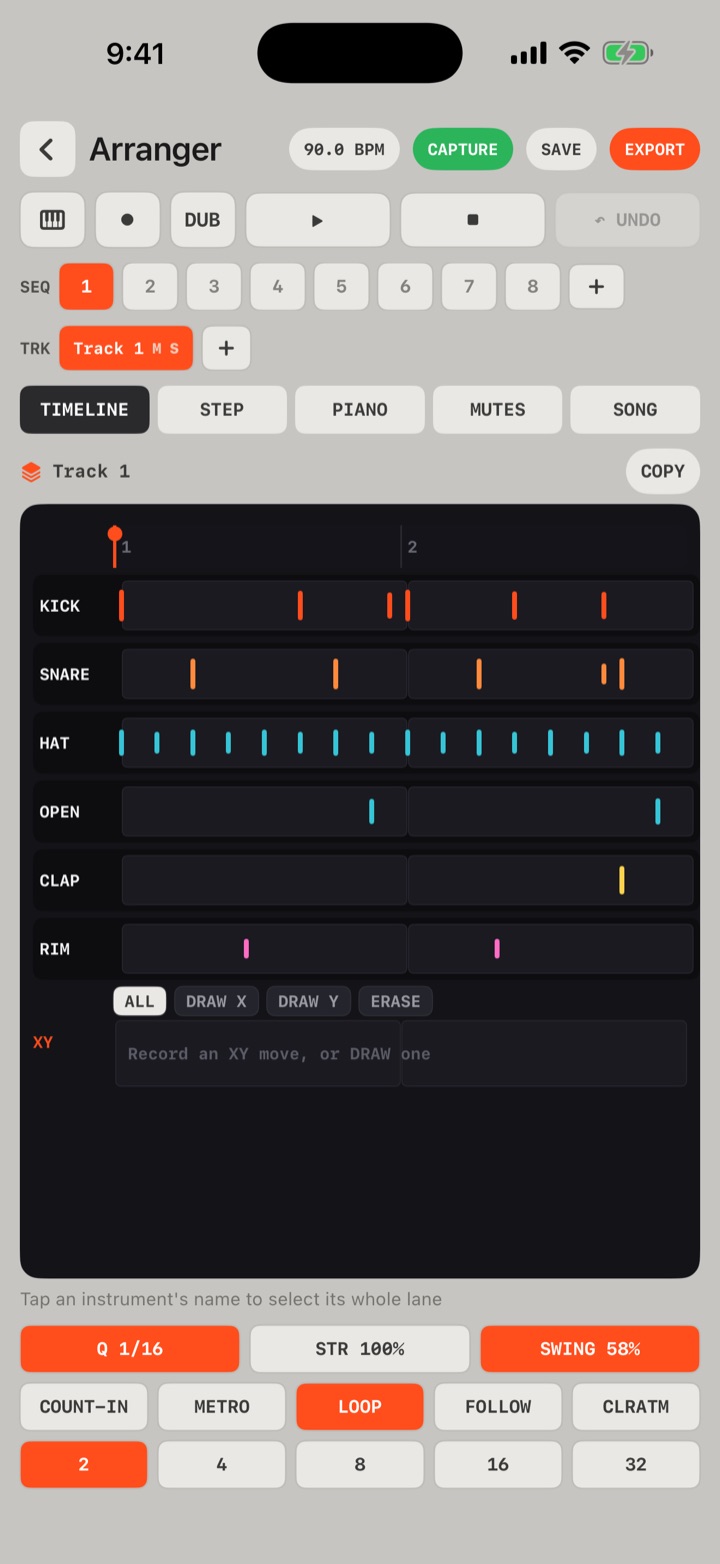
Record patterns over a count-in, with REC to replace or DUB to layer. Played something good while you weren’t recording? CAPTURE keeps it. Then edit on the piano roll or the step grid, redraw your XY moves, and chain sequences into a song.

  • TRACKSUp to eight per sequence, and as many sequences as you like.
  • QUANTIZE1/4 to 1/16, with strength and swing.
  • EXPORTThe song or the pattern, as audio, stems, MIDI or an Ableton Live .als.
The Arranger's timeline with a recorded drum pattern

On iPad, a whole workstation.

The iPad gets a layout of its own. Turn it on its side and every control sits around the pads, with nothing hidden behind a menu.

CHOPSHOP on iPad in landscape: performance keys, the XY pad and pitch and mod wheels on the left, sixteen pads in the middle, the page keys and master strip on the right
  • PITCH + MODThe wheels appear when an EMBER sound or the keyboard is on. Pitch bends whatever plays; mod adds vibrato.
  • MASTER STRIPThe master fader, its meters and the master effects, without opening the mixer.
  • DRAG AND DROPDrag an audio file from Files or another app straight onto a pad.
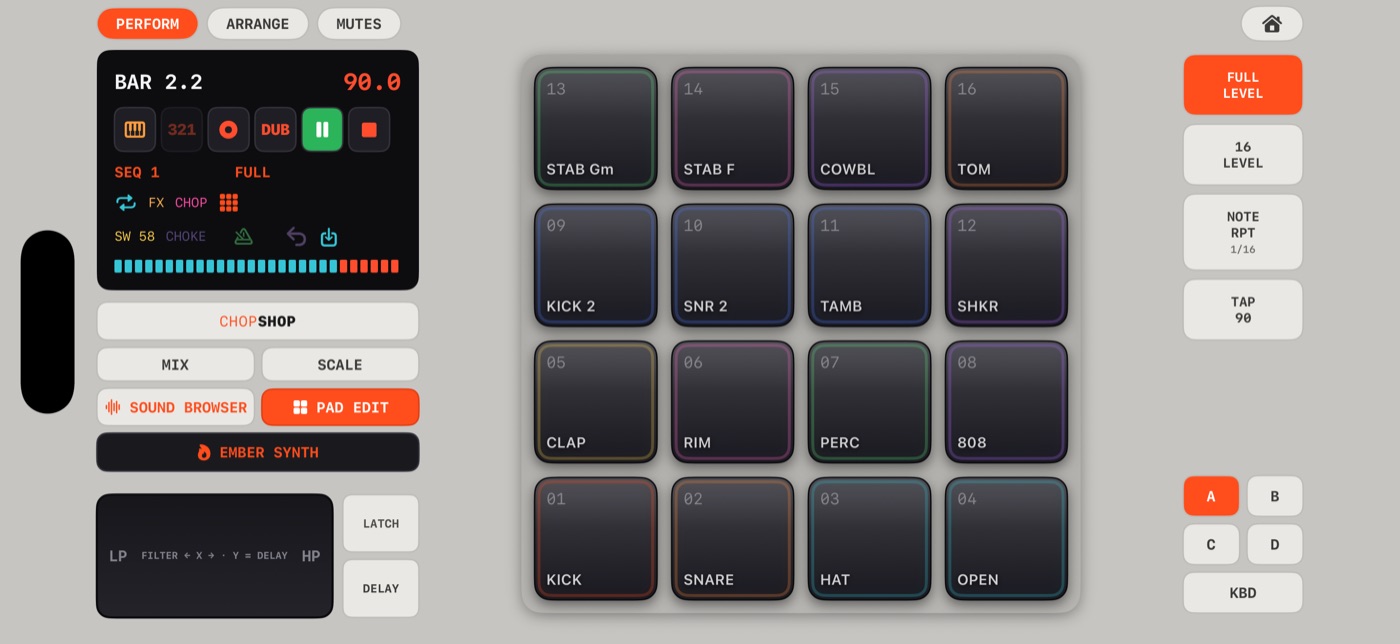
CHOPSHOP on iPhone held sideways, with bigger pads and the controls in columns either side

iPhone, sideways.

Turn your iPhone on its side for bigger pads, with the controls in columns either side. Tabs along the top switch between PERFORM, ARRANGE and MUTES.

Audio Unit plugin

Inside your host app, too.

CHOPSHOP runs as a plugin in any host app that loads Audio Unit instruments and effects: your pads, kits and projects on a track, playing in time with the host.

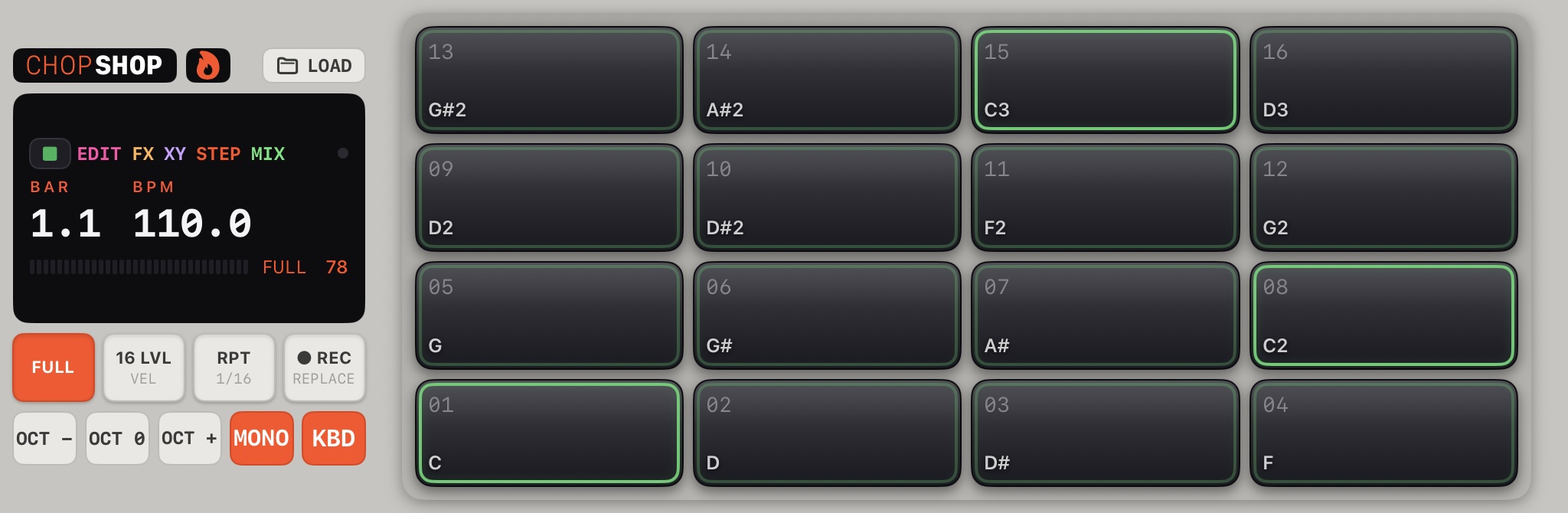
The CHOPSHOP instrument plugin: the display, performance keys and sixteen pads, each labelled with the note that plays it
The CHOPSHOP instrument in a host app. Each pad shows the note that plays it.

INSTRUMENT

CHOPSHOP

Your pads, kits and projects on a track. LOAD brings in a project, with its patterns if you want them.

EFFECT

CHOPSHOP FX

Goes on an audio track. Hold a pad while the track plays and it samples the track onto that pad.

EFFECT + MIDI

CHOPSHOP FX MIDI

The same effect with MIDI in, for hosts that send notes to effects.

  • The host runs the clockPatterns play when the host plays, at its tempo.
  • Notes both waysThe host’s notes play the pads, and what you play goes back to the host to record.
  • EMBER at pitchSet MIDI IN to KEYS and the host’s keyboard plays EMBER, wheels included.
  • Saves with your songReopen the song and it all comes back, packs included.

Stem split, purchases and SONG mode stay in the app. Each plugin track can run effects on up to 8 pads.

The rest of the studio

Nothing is locked behind an upgrade. It all comes with the app.

Studio export

WAV at 44.1 or 48 kHz in 16 or 24‑bit, WAV stems with one file per pad, AIFF, M4A, MIDI, and an Ableton Live .als with its stems.

MIDI controllers

USB-C controllers work the moment you plug them in. Bluetooth ones pair once and reconnect on their own. Pads, keys and wheels all play.

Projects that keep up

CHOPSHOP saves as you work, to iCloud when it’s there. The last twelve versions of a project stay one tap away, and patterns save as MIDI in Files.

Your own kits

SAVE BANK keeps sixteen pads, with their names and edits, as a kit you can load into any project.

Make it yours

Four case colours, three display faces, and pads that can draw their own waveforms as they play.

A manual in the app

Settings ▸ HELP walks through every screen step by step, with search, on iPhone and iPad.

Kits for every vibe

Every pack loads as a kit in one tap, or pick single sounds in the Sound Browser. Nine come with the app. The rest are one-time purchases, or get them all with LIFETIME.

Every sound was made in-house, not sampled from records, so there’s nothing to clear in anything you make.

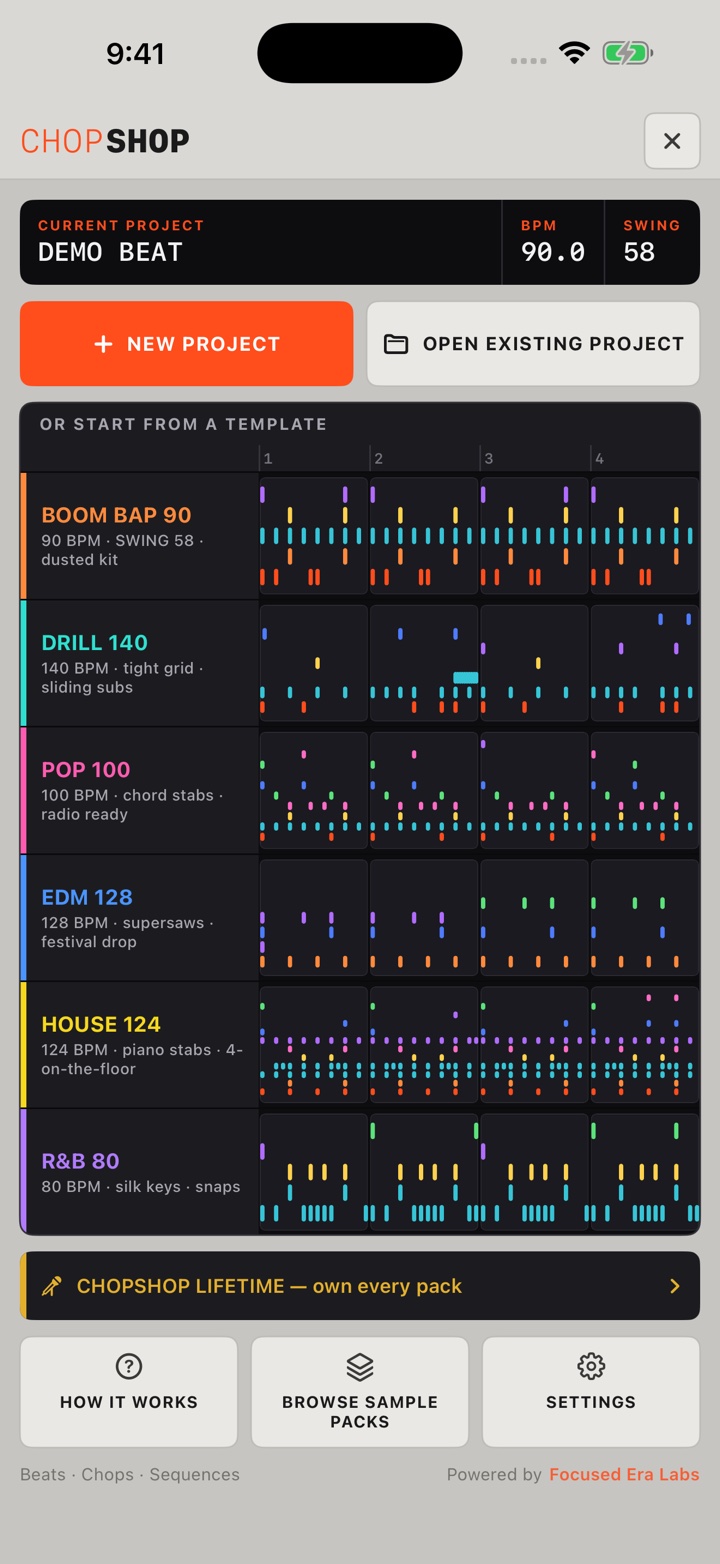
Or start a project from a template, with the kit, tempo and swing already set:

  • BOOM BAP 90
  • DRILL 140
  • POP 100
  • EDM 128
  • HOUSE 124
  • R&B 80
CHOPSHOP's Home screen: NEW PROJECT, six templates and the sample packs
Pack CHOPSHOP FACTORY 88 BPM With the app

The house kit: two kicks, dusty snares, stabs, ready to swing.

WITH THE APP

PREMIUM PACKS

Own it. No strings.

Pay once and you get every feature. Want more sounds? Buy packs one at a time, or get them all with LIFETIME.

CHOPSHOP

$4.99USD, once

The complete app, on iPhone and iPad.

  • Sampling, chopping and AI stem separation
  • 64 velocity pads, the EMBER synth and 27 effects
  • Piano roll, step grid and SONG mode
  • The plugins for your host app
  • WAV, stems, MIDI and Ableton Live .als export
  • Nine sound packs
Download on the App Store
BEST VALUE

CHOPSHOP LIFETIME

$29.99USD, once

An in-app purchase: every pack, for good.

  • Every premium sound pack
  • Every pack released later, at no extra cost
  • A Founder’s Badge for launch-window buyers
  • Your packs in the plugin, too

Buy it inside the app: Home ▸ CHOPSHOP LIFETIME

Prices in USD. The App Store shows your exact price before you buy. LIFETIME and single packs are bought inside the app, which shows your local price. See prices in every country.

Make beats. Own your tools. No subscription. Ever.

Your next beat is a tap away.

Sample it, chop it, make it, on iPhone and iPad.

Download on the App Store